Personal Website
Showcases my work and writing—built from scratch with Astro, JavaScript, HTML, and CSS.
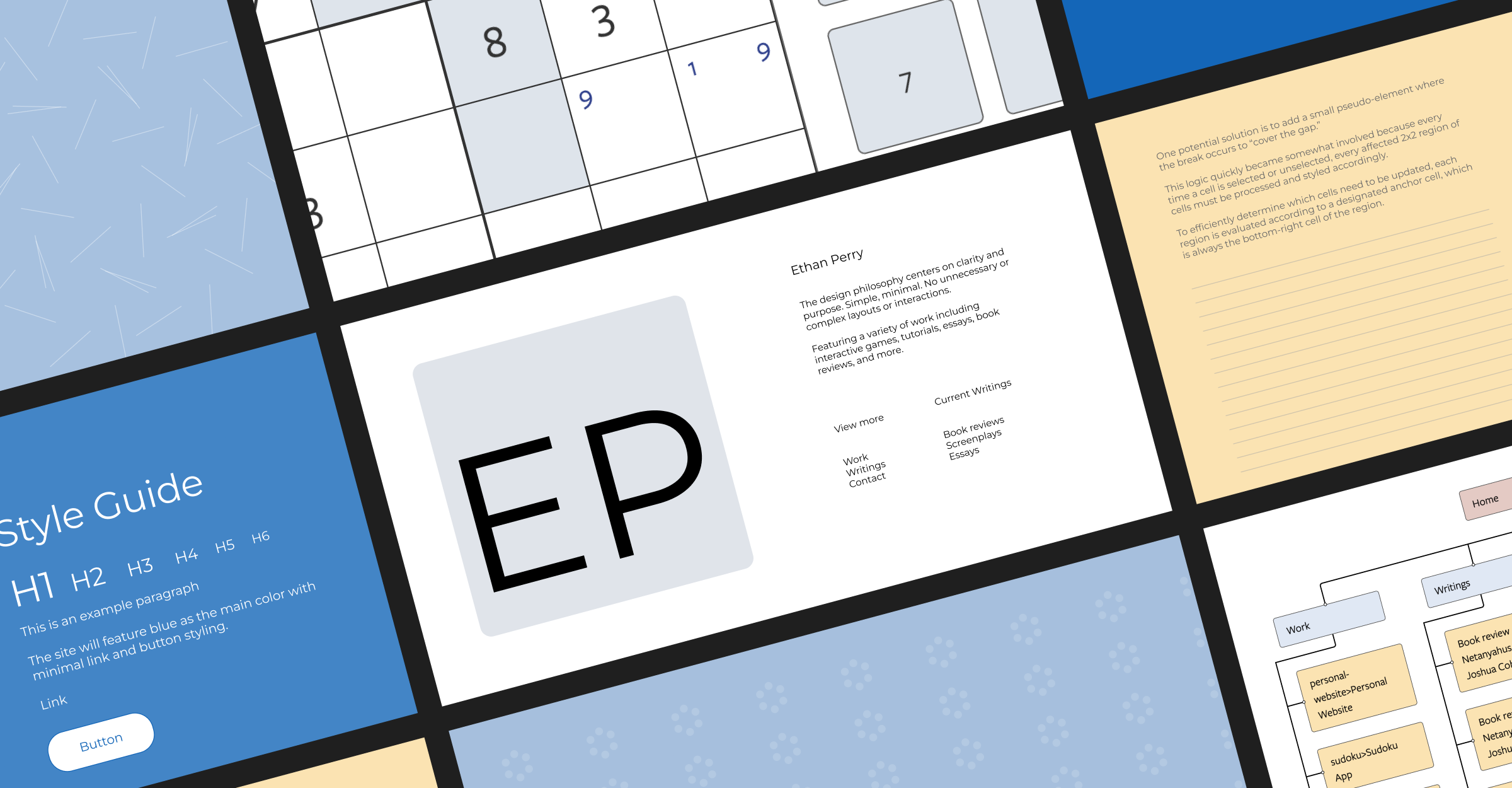
Introduction
This report documents the build process for my personal website, ethanperry.co. Below, I outline what I built, how I built it, and what I learned along the way.
Overview
I built this website with Astro. By default, Astro delivers static pages, but it also allows JavaScript, TypeScript, and other frameworks/integrations where needed. That mix of simplicity and freedom, alongside a growing dev community, made the choice easy.
My goal was to create a place to share my work, projects, and writing. My goal was to create a very simple, modern design.
Tools:
- Astro
- JavaScript
- TypeScript
- HTML
- CSS
- Cloudflare Pages (deployment)
- Airtable (to store contact form submissions)
- Figma
- Markdoc
Process
Continue reading to learn more about my process, challenges, and insights.
Selecting my tech stack
My background in marketing and software development has shown me both sides of the web: building from scratch and using website builders such as WordPress, Webflow, Framer, and Squarespace.
Most website builders are user-friendly and simple to maintain, but lack the customizability I needed for this project.
Static site builders like Hugo and Eleventy prioritize speed and delivery, but Astro is also extremely fast and I appreciate their approach to JavaScript hydration and a relatively new frontend architecture pattern called Islands Architecture. Astro also offers numerous integrations in their ecosystem which removed a lot of roadblocks for me.
I used Cloudflare Pages for its global reach and simple deployment process. In the future, I plan to self-host the website, but for now, I'm enjoying the ease of serverless deployment.
Design
I explored Figma for the first time during this project, and it really helped me streamline my development process (more on this later in the Insights section of this article).
My outside inspiration came from websites and web components I discovered on Awwwards, Behance, Dribble, and Figma Community.
Development
There is something I have always loved about HTML and CSS. I'm mostly a backend engineer, but I never give up the opportunity to write some CSS.
I didn't use any CSS frameworks because I enjoy scaffolding my CSS architecture from scratch. I like my CSS to feel as lightweight as possible.
Also, I have never been particularly interested in JavaScript or TypeScript, but after using them throughout this build, I began to understand the appeal and spirit of the language. I'm looking forward to improving my JS/TS skills as I build more Astro sites in the future. However, I should mention a part of me will forever despise JavaScript and TypeScript.
Contact Form
For some unknown reason, I love building contact forms—they show just how powerful the web can be when HTML, CSS, and JavaScript come together.
I was happy to work through the extra steps necessary when building a form on a Cloudflare pages site, which unlike other serverless hosts does not have any plug-and-play form handling. This meant I was required to build out a custom API endpoint.
I built it and connected it to my Airtable base, which will automatically email me new submissions. This Astro => Cloudflare => Airtable => Email flow is a simple, free, lightweight "email service" that's very maintainable.
Sudoku App
Another project I built this year was an interactive Sudoku web app written entirely in C#. You can play and read about it here.
I deployed the app—a Blazor WebAssembly app—directly on this site. Being able to integrate a WASM app into my Astro site so easily confirmed I chose the fright framework to build my website.
Behind the scenes, the Sudoku app is served in the /public/ directory and since WASM essentially runs JavaScript, everything worked smoothly on Cloudflare pages.
Anchor Positioning!
During this build, I explored several new CSS features. My favorite was Anchor Positioning.
I built three components using anchor positioning (see graphics below for two of them)—each of which would have been cumbersome to build without it. I decided to exclude all three components because they didn't fit the design, but if I had included them, I would have added an anchor positioning polyfill for browser support.
The most interesting of the three was a sitemap component, which is a tree structure. I plan to write an article outlining my approach to this element.
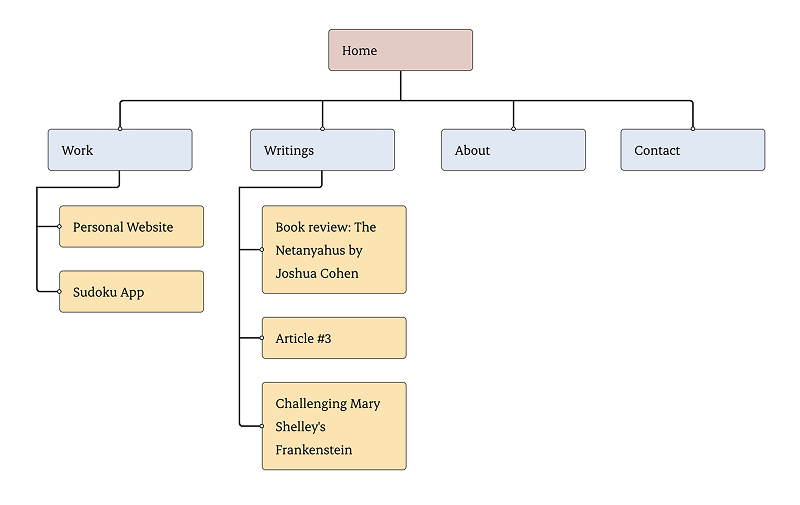
Note: The credit for this design goes to Nicole Myers on Figma. I implemented the code myself though.
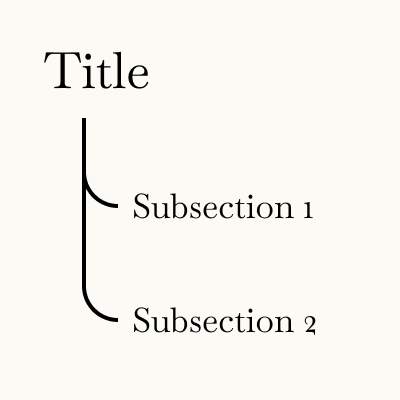
Below is another tree-like structure anchor positioning is perfect for. It was intended to be a sidebar on my articles, but for now, I have omitted it.
The third element I built with anchor positioning was—of course—a tooltip! Tooltips are ubiquitous, so I won't share an image here, but it was a standard tooltip.
Container Queries and Layers
I also explored the new @layer and @container specs. They were extremely useful and made it to the final edit.
Insights + Opportunities for Growth
Asking myself the right questions
When I begin a project, I like to define a strict set of requirements. However, as I built this site for myself and not for a client, it was too easy and too tempting to dream up a new feature and just begin coding.
This made my process too scattered and slow. In the future, I'll be more careful to ask myself the usual questions I might pose to a client, or at least frame as a part of my conversations with clients:
- What do you want this project to achieve?
- Why now?
- Would another solution be better or cheaper or [enter reason]?
- Does this feature align with the goals or is it just a distraction?
Design first, then develop
I used to write code without a proper design guiding the development process, which meant building something became expensive because I wouldn't be sure I would like the design. This workflow was slow and led to a lot of scrapped components and wasted time. Once I started using a design tool like Figma, my process improved and became much faster.
Islands Architecture is great + why is everything so much better with less JavaScript?
Astro takes a static-first approach which I really appreciate, but they also realize that a lot of modern websites require more than just static. I can use JS and TS where needed, but also keep my site very fast elsewhere.
As someone who enjoys HTML and CSS, I can't help but try to avoid JavaScript as much as possible, and seeing how Astro handles JavaScript, it shows how fast a site can be when the JavaScript is tamed. And by comparison, it also shows how much slower a site is when the JS becomes too unruly. Many websites I found for inspiration, especially on Awwwards, were sprinkled with JS everywhere, which made some of the websites unusable. It is so sad to see great design throttled by these limitations.
CSS is improving really fast
CSS is becoming more akin to a programming language by the day, especially with the planned Functions and Mixins Module specs.
Using container queries, layers, anchor positioning, new systems for fluid typography, new syntax, the new and improved attr, along with many new-ish selectors including :has, :is, and more, all made using CSS much easier and more approachable.
I'm very much looking forward to the future of CSS.
Closing Thoughts
Overall, I'm very satisfied with this website. I wanted a place to share my work, and I'm looking forward to updating and improving the site in the future.
Thank you for reading and if you have any questions, please send me a message and we can chat!